Private PDF toolkit for iPhone and iPad
Every PDF tool. Nothing uploaded.
Merge, compress, sign, scan and redact, right on your iPhone or iPad. There’s no account to make, and it works without a connection.
Free on the App Store, for iPhone and iPad.
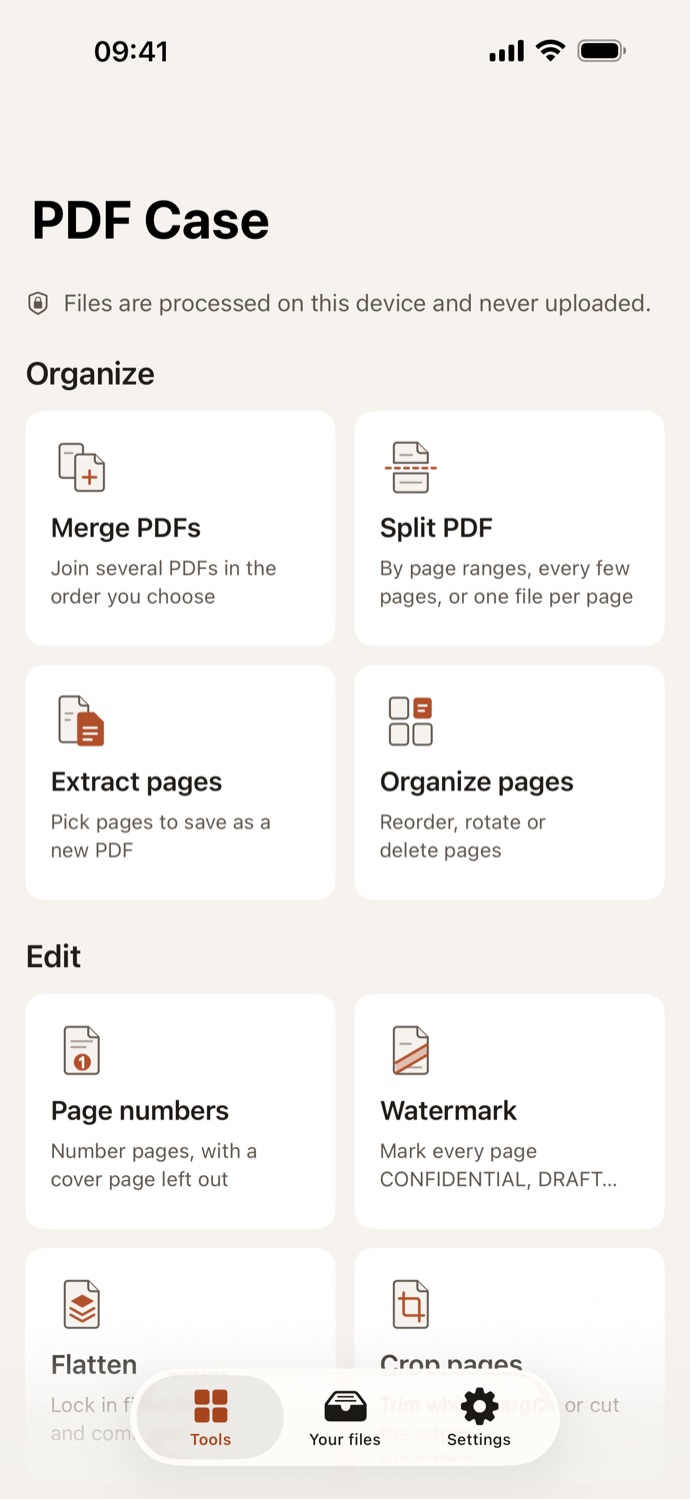
Combine a contract with its appendix, shrink a phone scan small enough to email, sign a form, black out an account number before you send a statement. PDF Case does the everyday PDF jobs people usually hand to a website, and does every one of them on your iPhone or iPad. Your files are never uploaded, so there’s nothing to wait for, nothing to sign up for, and nothing left on someone else’s server.
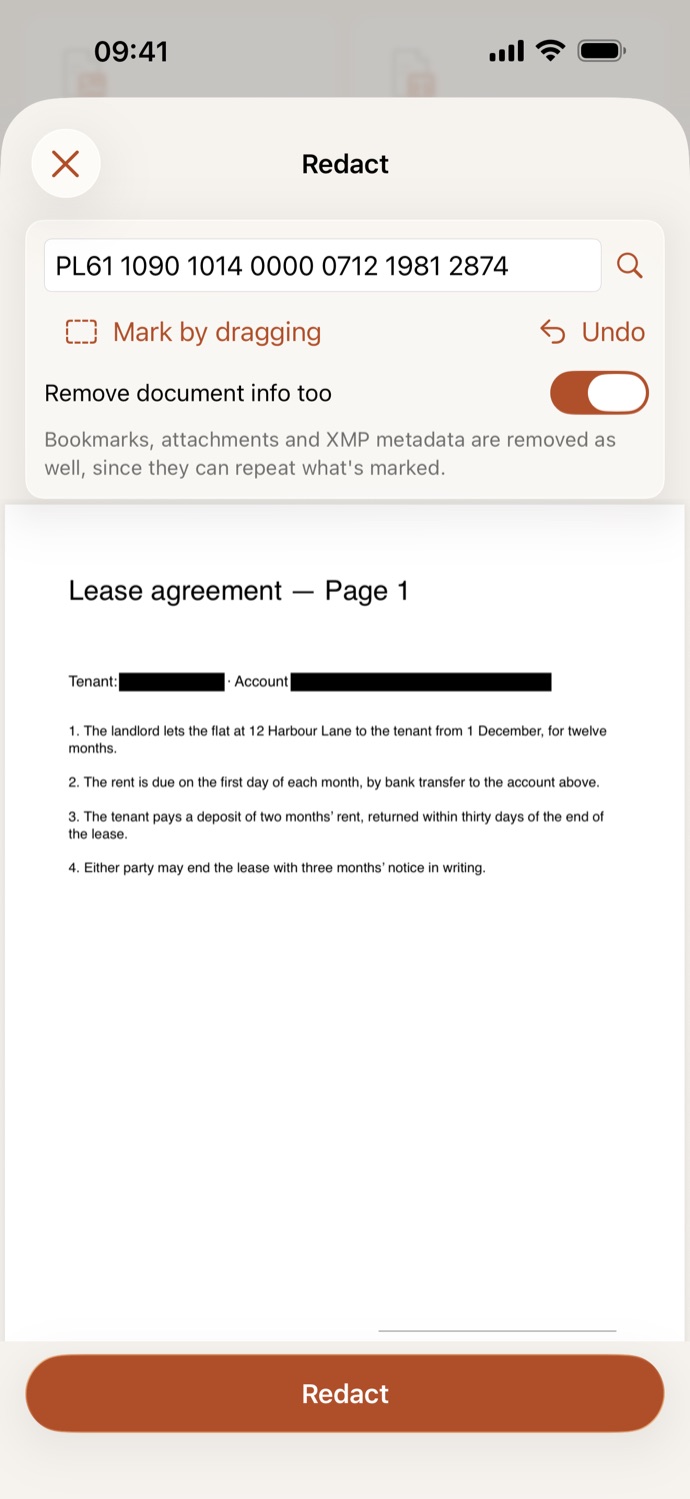
Gone, not hidden.
Black out names and numbers. They’re removed from the file, not covered up.
- Find a name or a number, or mark an area by dragging.
- Before redacting, a marked name can still be copied, searched and pasted. Afterwards it is gone from the file.
- A redacted page becomes a picture; Make searchable brings back the text that is still visible.
- Bookmarks, attachments and document info can go too, since they can repeat what you marked.
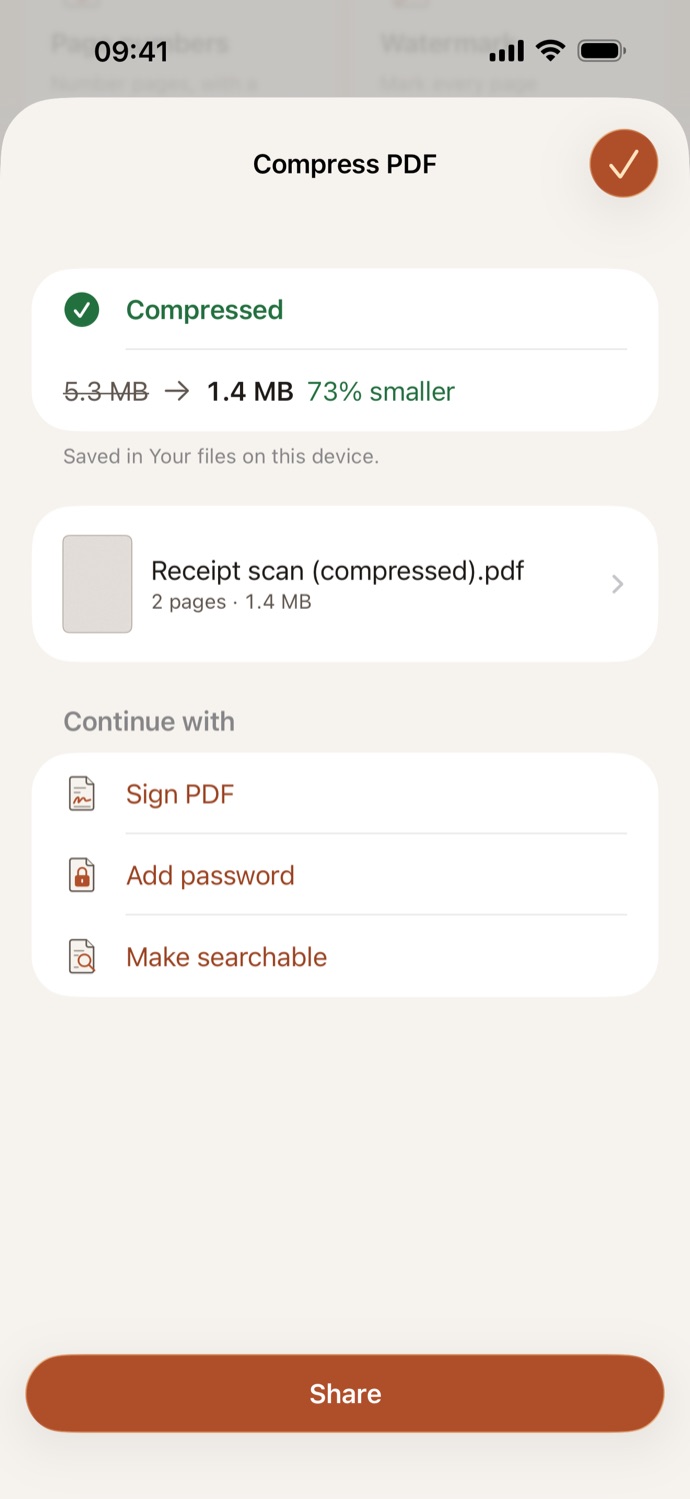
Small enough to send.
Phone scans shrink to a fraction of their size. Text stays sharp.
- Compress shows the size before and after, so you know it will fit in an email.
- Make scans searchable: text recognition in your language, on the device.
- Grayscale for printing.
- Go from one tool to the next: scan, make searchable, then compress.
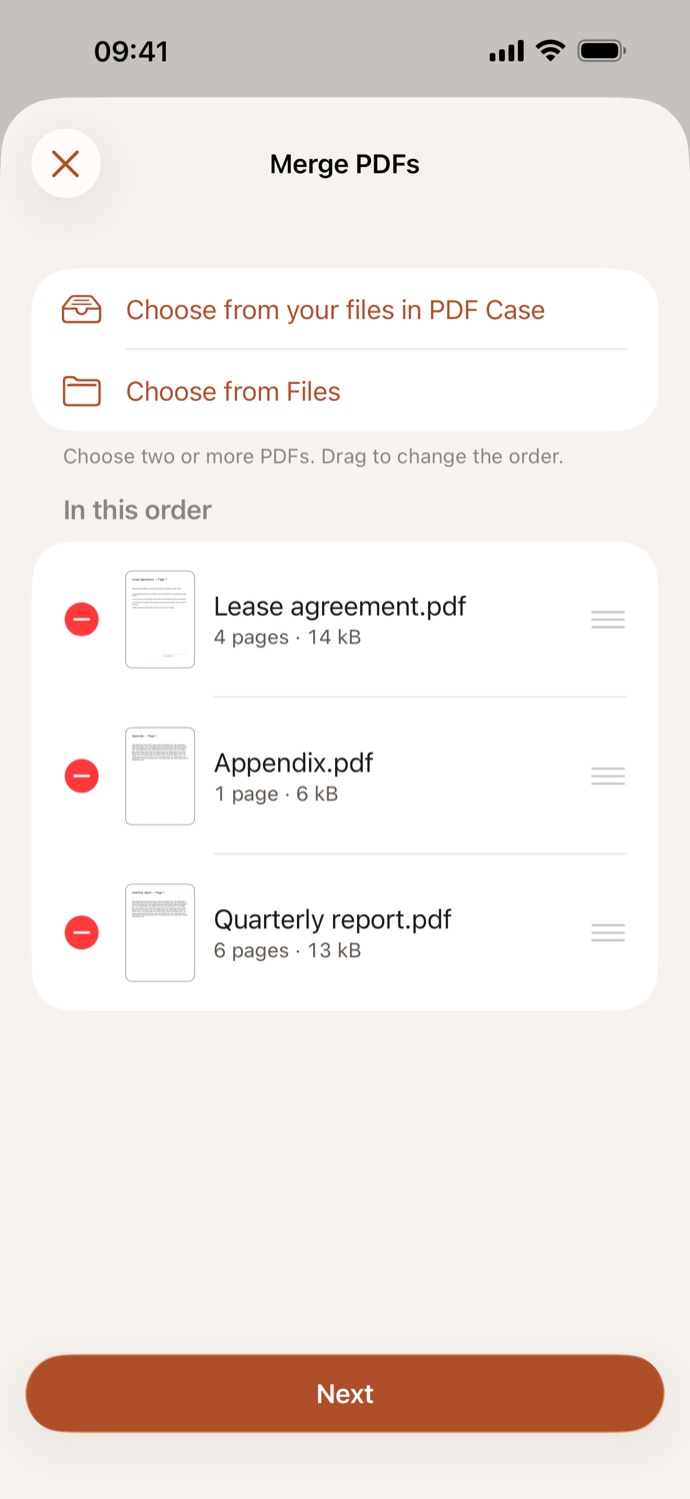
Merge in the right order.
Pick your PDFs, drag them into place, done.
- Merge
- Split
- Extract pages
- Reorder
- Rotate
- Delete
- Duplicate
- Blank pages
- Crop
- Split by page ranges, every few pages, or one file per page.
- Add pages from other PDFs, or blank ones, anywhere in a document.
- Crop pages, or trim white margins automatically.
Works the way you do.
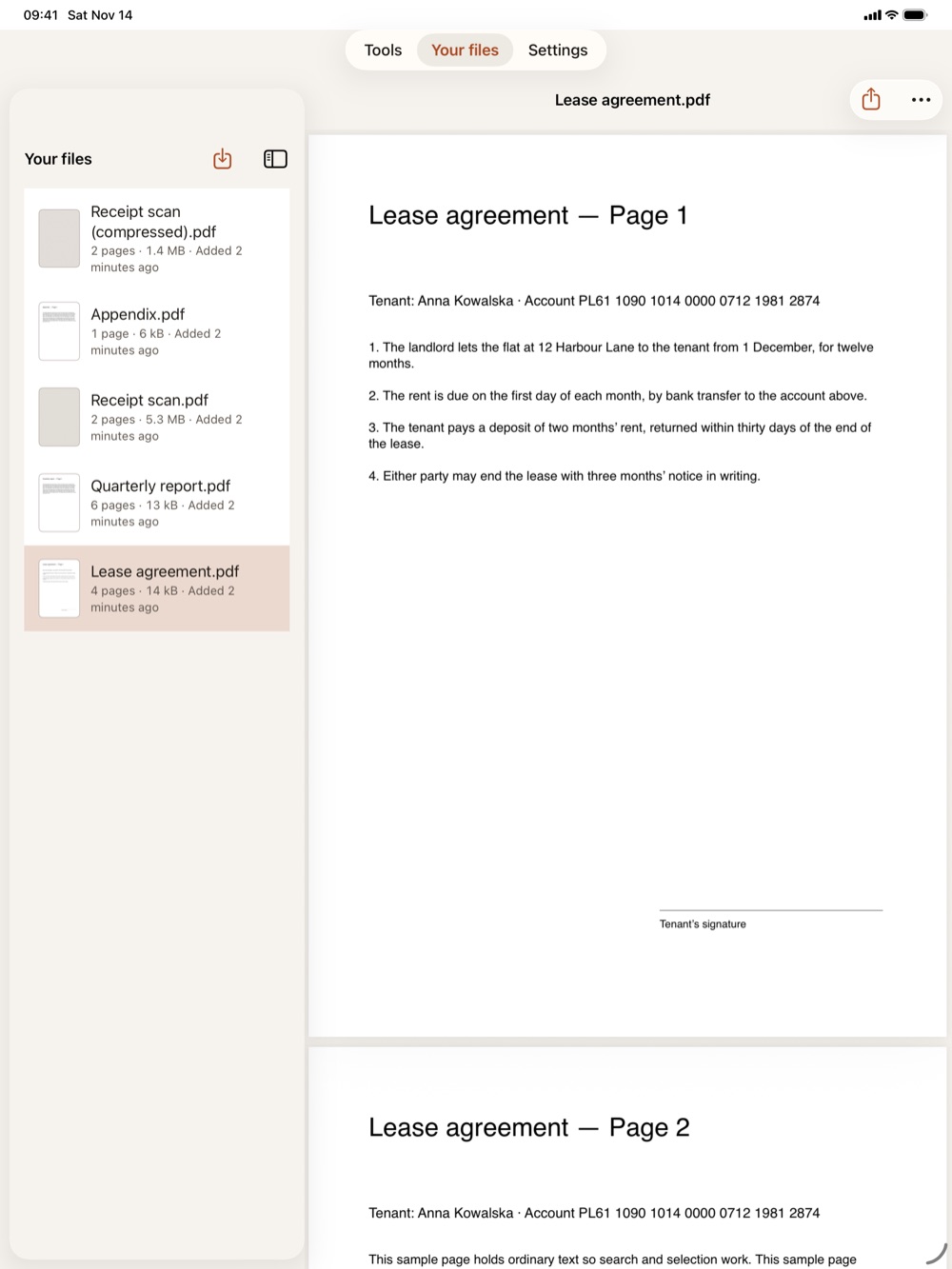
On iPad, your files sit beside the open document.
- Run one tool on many files at once; long batches keep going in the background.
- Share PDFs and photos to PDF Case from Mail, Files and Photos.
- Shortcuts actions: compress, merge, make searchable, images to PDF, get text.
- Drag and drop and keyboard shortcuts on iPad.
Twenty-five tools, one app.
The jobs you’d otherwise upload a file for, in one place.
Make and convert
- Scan documents with the camera; edges are found for you.
- Photos, Word, Excel, PowerPoint, RTF and plain text to PDF.
- PDF to JPG or PNG, PDF to text, and the pictures inside a PDF as files.
Edit and annotate
- Highlight, underline, draw, and add notes, text boxes and shapes.
- Fill in forms and lock the answers in.
- Page numbers, and text or image watermarks.
Sign and protect
- Sign with a drawn, typed or photographed signature, saved for next time.
- Add or remove a password.
- Remove author, app and date information.
Every tool, by name
All twenty-five are in the app. The linked ones also work here, in your browser.
Optimize
- Compress PDF In the iOS app
- Grayscale
- Make searchable In the iOS app
Make a PDF
- Images to PDF
- Scan to PDF In the iOS app
- Text to PDF
- Office to PDF In the iOS app
Convert from PDF
Sign and protect
Your files stay yours.
No account, no tracking. Nothing leaves your iPhone.
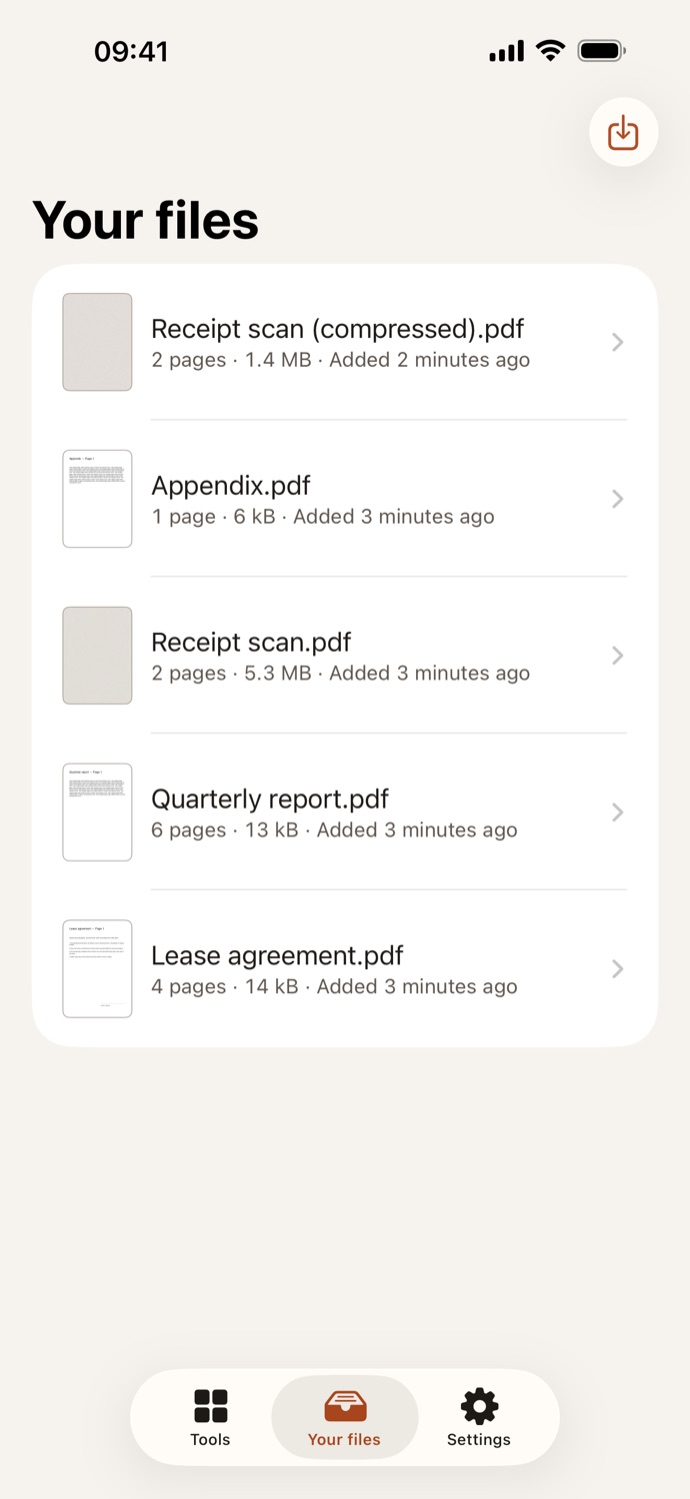
- Done on your device. Every tool runs on your iPhone or iPad, text recognition included.
- Nothing leaves it. PDF Case has no network features. Your files are kept in the app, protected by your device’s encryption, until you delete them.
- No account, no ads, no tracking. PDF Case collects no data: its App Store privacy label is “Data Not Collected”.
This site keeps the same promise: no cookies, no analytics and no third-party requests. Privacy policy
What you need.
- iPhone or iPad
- With iOS 26.4 or iPadOS 26.4 or later. Every tool works on both.
- No connection
- PDF Case works offline, on a plane or abroad, because nothing is sent anywhere.
- Your language
- The app in English, Polish, German, French and Spanish. Text recognition reads the languages your iPhone is set to.
- No sign-up
- Free, with no account, no ads and no purchases. Open the app and pick a tool.
Get PDF Case.
Free on the App Store, for iPhone and iPad. No account, and nothing uploaded.
Get PDF Case on the App Store All tools